Slow business Wi‑Fi doesn’t just frustrate your team-it quietly drains revenue, stalls cloud apps and kills video calls mid-sentence. If you’ve been wondering why your business Wi‑Fi is so slow, the answer is rarely just “buy faster broadband.” The real causes usually sit inside your building, and fixing them starts with knowing where to look.
Before you blame your business Wi‑Fi or rush to upgrade your broadband, run one simple test. It takes five minutes and tells you whether the bottleneck is outside or inside your building.
How to do it:
Running speed tests from multiple spots can help diagnose Wi‑Fi performance issues immediately. Testing speeds in different locations can identify coverage gaps you didn’t know existed.
How to read the results:
| Result pattern | Likely cause |
|---|---|
| Wired and Wi‑Fi both slow | ISP or line fault |
| Wired fast, Wi‑Fi slow | Internal Wi‑Fi or network problem |
| Fine in the morning, crawling 3–5 pm | Network congestion or ISP contention |
Using a wired ethernet connection typically offers faster speeds than Wi‑Fi, so some drop-off is normal-but if Wi‑Fi delivers less than 30% of your wired result, something needs attention. Euro Systems IT can validate these tests on-site and speak to the ISP on your behalf if needed.
Think of your business internet as two separate things: the broadband line coming into the building, and the Wi‑Fi distributing that connection to your staff’s devices. They’re completely different systems, and either one can be the bottleneck.
A concrete example: a 500 Mbps FTTP fibre line feeding a single budget Wi‑Fi router with 100 Mbps Ethernet ports will never deliver that speed to anyone. The internet performance is capped by internal hardware, not the ISP.
Paying for higher internet speeds won’t fix issues caused by poor router placement, old switches or congested radio channels. ISP throttling can also intentionally reduce your internet speed during peak hours, but that’s less common on business broadband contracts with guaranteed speeds.
Typical bandwidth needs for common business activities:
| Activity | Download speed needed | Upload speeds needed |
|---|---|---|
| Teams/Zoom video calls | 5–10 Mbps per user | 5–10 Mbps per user |
| VoIP phone call | 0.1 Mbps | 0.1 Mbps |
| Cloud CRM/ERP | 5–20 Mbps | 2–10 Mbps |
| CCTV backhaul (4 cameras) | Minimal | 8–20 Mbps |
| Guest network browsing | 5–15 Mbps | 2–5 Mbps |
For modern cloud-heavy offices, the difference between download speed and upload speed matters enormously. Symmetrical business broadband is increasingly important for file sync, backups and video conferencing. If your upload is a fraction of your download, cloud apps and calls will suffer even when browsing seems fine.
Copper broadband lines (ADSL and FTTC) and routers over five years old can cap your connection speed and cause instability, even when Wi‑Fi coverage seems adequate elsewhere.
In the UK, legacy copper lines are being phased out in favour of FTTP and SoGEA fibre connections. The difference is significant: a copper FTTC line typically tops out at 40–80 Mbps (often less), while FTTP can deliver symmetrical gigabit broadband speeds. Old routers struggle with modern internet speeds-if yours only has 10/100 Mbps ports, it physically cannot pass more than 100 Mbps to any device.
Signs your router needs replacing:
You should replace your router every three to five years. Modern routers support Wi‑Fi 6 or 7 for better performance, handle more simultaneous connections and include the management features business networks need. Outdated devices can create a bottleneck in internet speed that no broadband upgrade will fix. Legacy infrastructure can cause unreliable internet connections long before the ISP line itself is at fault.
Euro Systems IT can audit your existing hardware-router, modem, switches-and propose a phased upgrade path that minimises downtime and cost. A business grade router with gigabit ports, proper QoS and modern Wi‑Fi standards is the foundation everything else depends on.
Wi‑Fi that worked for 10 staff in 2019 may be unusable for 35 hybrid workers plus dozens of smart devices in 2026. If your network wasn’t designed for today’s demands, outdated hardware can degrade internet performance across the board.
Common growth triggers that break existing Wi‑Fi designs include more employees with laptops and phones, all-day video calls on Teams and Zoom, cloud file servers, IP CCTV, wireless printers, EPOS systems and visitor devices on the guest network.
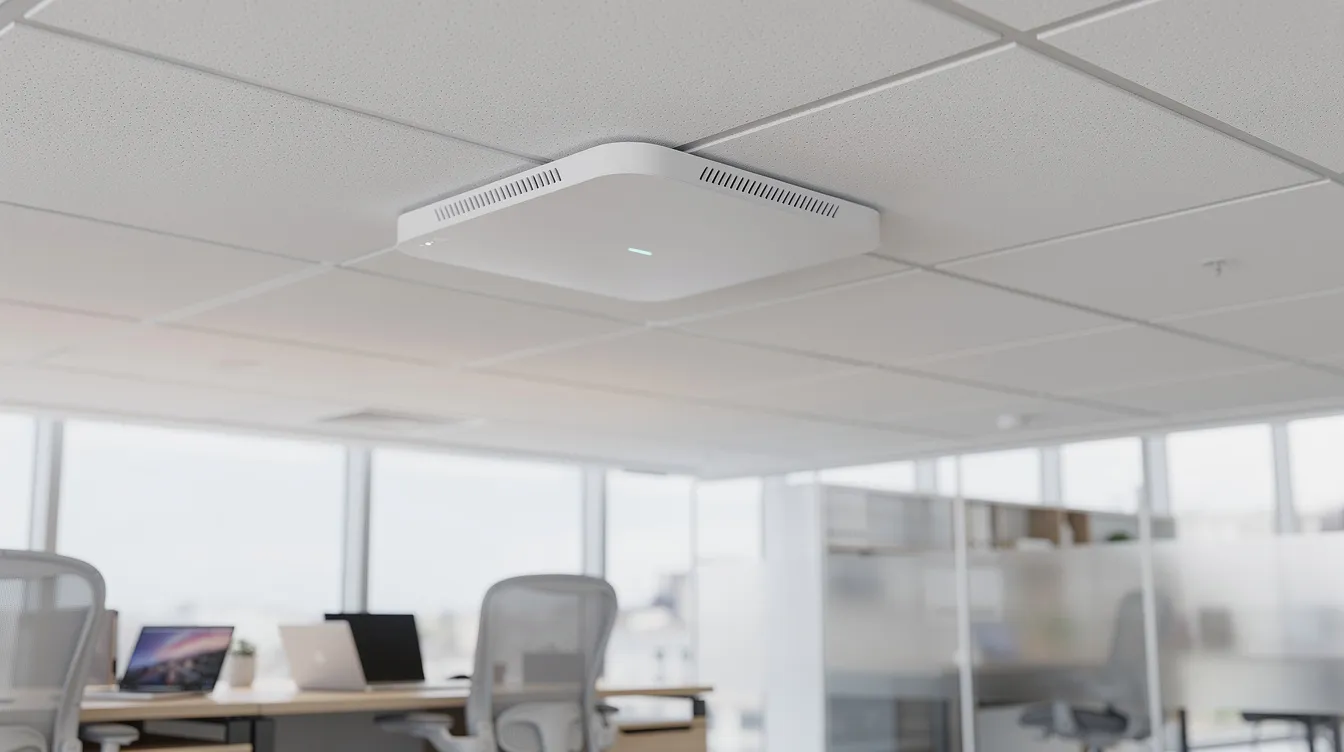
There’s a crucial distinction between coverage problems (dead zones, signal dropping out) and capacity problems (full signal bars but download speed crawling when everyone’s in the office). A single all-in-one Wi‑Fi router tucked in a comms cupboard can’t handle multi-floor or warehouse environments-you need multiple business-grade access points with wired backhaul.
Research from CloudSwitched found that 78% of UK businesses report Wi‑Fi problems impacting productivity, with employees losing an average of 38 minutes per day to connectivity issues. After a professional survey and redesign, throughput improved by roughly 3.2×. Modern business environments may benefit from upgrading to Wi‑Fi 6 or mesh systems to handle this device density.
Inventory every device at peak time-including “hidden” kit like tills, HVAC controllers and smart TVs. If you’re running more than 30 devices connected to a single access point, you’re overloaded. Euro Systems IT can carry out a professional wireless site survey, then design a scalable Wi‑Fi layout that matches current and future headcount.
Wi‑Fi is radio, and radio hates the materials found in most UK offices, warehouses and converted buildings.
Materials and layouts that weaken or block your Wi‑Fi signal:
Physical obstructions like thick walls and metal objects can block Wi‑Fi signals entirely. Signal interference can be caused by physical walls and neighbouring Wi‑Fi networks working together to degrade your connection. Router placement affects Wi‑Fi signal strength more than most people realise-putting routers in cupboards, under desks or behind filing cabinets traps the signal and creates a slower connection for everyone nearby.
A UK warehouse case study from Performance Networks demonstrated this clearly: Instarmac’s warehouse scanners suffered constant dropouts because metal racking blocked and reflected the Wi‑Fi signal. After a site survey, AP repositioning and directional antenna adjustments, reliable coverage was restored.
Practical fixes:
Wi‑Fi uses shared radio frequencies. When too many networks and devices compete on the same network channel, everyone gets slower speeds.
The 2.4 GHz band has a longer range but is usually more congested than the 5 GHz band. It’s shared with microwaves, Bluetooth headsets, cordless phones and Zigbee IoT sensors. Signal interference from devices like microwaves can slow Wi‑Fi noticeably. The 5 GHz band offers faster speeds but doesn’t penetrate walls as well. Wi‑Fi 6E opens up the 6 GHz spectrum for clean, uncongested indoor use-a significant advantage for businesses in dense areas.
Common interference sources:
Changing Wi‑Fi channels can reduce interference from other networks. Use a Wi‑Fi analyser app or your enterprise controller to identify congested channels and overlapping networks. Network congestion can slow down internet speeds significantly when multiple overlapping networks fight for the same airspace.
Wi‑Fi extenders can increase your network’s coverage area, but cheap wireless extenders often halve throughput and increase collisions-prefer wired-backhaul access points to eliminate dead zones properly. Euro Systems IT can tune channels, band steering, transmit power and QoS policies so video calls and key cloud services get priority over other devices and non-business traffic.

Slow business Wi‑Fi is often caused by network congestion from too many connected devices sharing a connection that wasn’t designed for the load. Network congestion occurs when data traffic exceeds network capacity, and it happens faster than most businesses expect.
Beyond staff laptops and phones, consider CCTV uploads, building management systems, EPOS terminals, cloud backups, software updates and streaming in breakout areas. Heavy traffic from streaming or large downloads can slow down a Wi‑Fi network for everyone else on the same network. Multiple devices can cause network congestion during high bandwidth usage, especially during peak usage times.
How to find bandwidth hogs:
Separating guest networks can improve performance for internal users. Set up separate VLANs and SSIDs for guest network traffic so visitors cannot interfere with business-critical services-rate-limit guests if necessary. Quality of Service (QoS) settings can prioritise critical applications in network traffic, keeping video conferencing and VoIP clear even when the link is busy. Network congestion slows down internet speeds during peak usage, so if sustained utilisation sits consistently above 70–80%, it’s time to talk to your internet service provider ISP about upgrading business broadband or moving to a leased line.
Not every slow Wi‑Fi problem is wireless. Switches, ethernet cables and misconfiguration inside the LAN can silently strangle performance.
Common hardware issues:
Using outdated cables can lead to slower internet speeds. A single poorly terminated cable run can cripple an entire access point. Use high-quality Cat5e or Cat6 ethernet cables throughout-mixing legacy Cat5 with newer cabling creates weak links. A Surrey restaurant case study from Verge Tech showed that replacing consumer-grade cabling with structured Cat6 runs and upgrading to Wi‑Fi 6 APs with VLAN segregation eliminated POS dropouts entirely.
Configuration pitfalls to check:
Using wired connections for stationary devices like desktops, VoIP phones and printers can improve network performance by freeing up wireless bandwidth for laptops and mobiles. Euro Systems IT can perform a full network health check, certify cabling, replace outdated switches and apply best-practice configuration to remove hidden bottlenecks.
Malware can consume bandwidth and slow down internet speeds without anyone noticing. Unauthorised users and poorly managed devices quietly drain your wireless network’s resources.
Check for these issues:
Endpoint hygiene matters: update operating systems and drivers, scan for malware or crypto-miners, and close unnecessary cloud apps and browser tabs that constantly refresh. Clearing cached data and browsing history on aging machines can free up system resources and reduce perceived slowness.
Centrally managed patching and security settings keep background traffic predictable and safe. Euro Systems IT can deploy managed endpoint policies so updates run outside peak hours, network settings are locked down, and your security posture doesn’t come at the cost of overall performance.
Before calling in outside help, work through this ordered checklist:
Create a brief problem report-screenshots of speed tests, a floor plan with problem spots marked, ISP contract details-and share it with Euro Systems IT so they can propose targeted fixes quickly. Ensure optimal performance by changing one variable at a time and verifying after each change.

If you’ve worked through the previous two points and basic checks haven’t resolved the problem, it’s time to escalate. Clear triggers include persistent slow Wi‑Fi despite reboots and repositioning, regular dropped video calls, cloud apps timing out, or staff unable to work efficiently.
Some situations demand professional intervention:
A professional Wi‑Fi and network assessment from Euro Systems IT typically includes an on-site survey with heatmapping, a cabling audit, ISP and router review, security review and a clear recommendations report. NHS Sussex’s wireless trial demonstrated that a properly conducted site survey paid for itself within five weeks. In the UK, professional surveys typically cost between £1,500 and £5,000 depending on complexity-a fraction of the annual productivity loss from performance problems.
Euro Systems IT can deliver practical solutions including:
Ready to fix your slow internet for good? Get in touch with Euro Systems IT for a no-obligation connectivity review. Call us or complete a short enquiry form-we’ll diagnose the root cause and deliver faster speeds your team can actually rely on.
These FAQs cover common questions not fully addressed above, with concise answers to help you take the right next step.
This usually points to a coverage issue rather than an ISP fault. An access point may be too far away, or thick walls and metal structures are blocking the signal. Test Wi‑Fi signal strength in the problem area versus near the router-if there’s a significant gap, an additional ceiling-mounted access point wired back to the network will likely fix it. Euro Systems IT can run a wireless survey to pinpoint dead zones and propose exact AP locations.
Faster business internet from your ISP doesn’t automatically improve Wi‑Fi. Your router, switches or access points may still be limiting network speed. Check whether your router ports are gigabit, whether APs support Wi‑Fi 5 or 6, and whether devices are stuck on 2.4 GHz instead of the 5 GHz band. Euro Systems IT can perform a post-upgrade audit to ensure your LAN and Wi‑Fi can actually deliver the new connection speed.
Yes. A separate guest network is best practice. It isolates visitor devices from your main Wi‑Fi network, lets you apply bandwidth throttling, and prevents access to internal servers, printers and shared files. Euro Systems IT can configure secure guest VLANs and captive portals so guests get convenient access without risking your data or creating a slower connection for your team.
Absolutely. Wired connections remain the fastest and most reliable option for stationary devices like desktops, VoIP phones, servers and printers. Plugging critical machines into Ethernet reduces load on the Wi‑Fi connection, improving wireless network performance for laptops, tablets and game consoles or other devices that must be wireless. Use at least Cat5e or Cat6 cabling-Euro Systems IT can upgrade and tidy your cabling to gigabit standards as part of a network refresh.
Compare a wired speed test at the router with your contracted broadband speeds, then compare those results to Wi‑Fi tests in multiple locations. If wired speeds are consistently below what you’re paying for, the issue is likely your internet service provider or the external line. If the wired connection is fine but Wi‑Fi is poor, the problem is internal. Document these results and, if needed, ask Euro Systems IT to liaise with your ISP and run deeper diagnostics on your internal network.

Get in touch and a member of our team will get back to you as soon as possible:
"*" indicates required fields